For the complete documentation index, see llms.txt. Markdown versions of all docs pages are available by appending .md to any docs URL.
Provider API keys
Provide and rotate the API keys that agentgateway uses to authenticate to your LLM providers.
Provider API keys authenticate agentgateway to LLM providers such as OpenAI or Anthropic. A leaked key lets attackers run requests at your expense.
Clients can authenticate with virtual keys. Agentgateway replaces each virtual key with the provider key before forwarding the request.
This guide covers inline keys, environment variables, files, and Kubernetes secrets or passthrough tokens. To replace an existing key, see Rotate a provider key.
Before you begin
Install theagentgateway binary.Configure your agentgateway proxy
You can set the provider API key in the UI or in your configuration file.
Start agentgateway with a configuration that has an
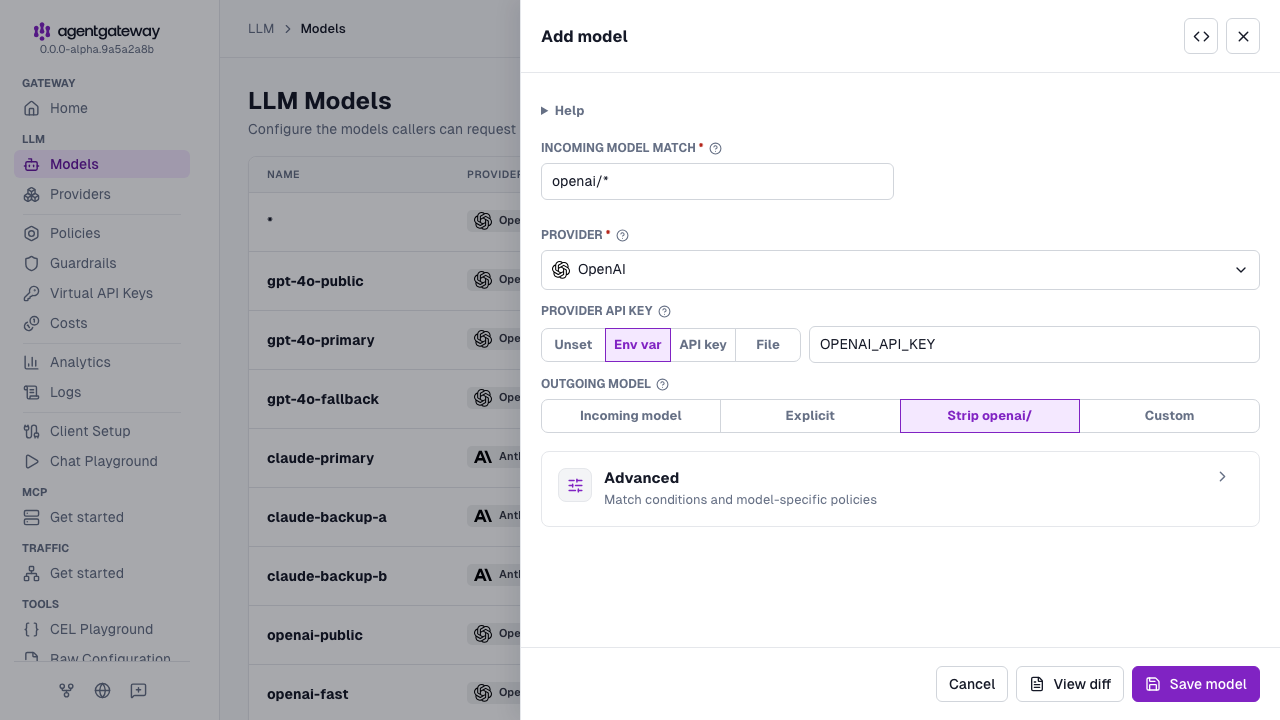
llmsection. You add the model and its API key in the UI.cat <<'EOF' > config.yaml # yaml-language-server: $schema=https://agentgateway.dev/schema/config llm: models: [] EOF agentgateway -f config.yamlOpen LLM > Models in the UI, such as http://localhost:15000/ui/llm/models, and click Add model.
From the Provider dropdown, select OpenAI.
Keep the default
openai/*in the Incoming model match field, and keep Strip openai/ for the Outgoing model.For the Provider API key, select one of the following options.
- API key: Enter the key itself, such as
sk-proj..... The UI writes the key inline in theparams.apiKeyfield. This option is the least secure. Only use this option for quick tests. - Env var: Enter the name of the environment variable, such as
OPENAI_API_KEY. The UI writesapiKey: $OPENAI_API_KEY. The variable must be set in the environment that agentgateway runs in, or the save fails. - File: Enter the path to a file that holds the key, such as
/etc/agentgateway/openai-key.txt. The UI writesapiKey: {file: <path>}. Agentgateway reads this file only when it loads the configuration, so a changed key takes effect after the next configuration reload or restart. This option differs from the File steps in the Config file tab, which useauth.key.value.fileand pick up a changed key on the next request. - Unset: Configure no provider credential.
- API key: Enter the key itself, such as
Click Save model.
Whether the UI can save depends on your storage mode. For more information, see Save changes from the UI.
Rotate a provider key
Rotate provider keys regularly, when your provider requires it, or after a suspected leak. Clients that use virtual keys need no configuration changes.
Create a new API key in the console of your LLM provider. Keep the old key active for now.
Replace the key on the gateway using the method that matches your configuration.
Option How to replace the key Restart needed File ( auth.key.value.file)Replace the file contents. Agentgateway uses the new key for the next request. No Inline Edit the key in the configuration file. Agentgateway reloads the file when it changes. No Environment variable Set the variable to the new key and restart agentgateway. Yes For file references in
params.apiKey, agentgateway reads the key only when loading the configuration. After replacing the key file, save the configuration file to trigger a reload, or restart agentgateway.Send a request through agentgateway, and verify that it succeeds with the new key. If your gateway requires virtual keys, add an
Authorization: Bearer <virtual-key>header.curl -s http://localhost:4000/v1/chat/completions \ -H "Content-Type: application/json" \ -d '{"model": "openai/gpt-4o-mini", "messages": [{"role": "user", "content": "Hello!"}]}' | jq .Example output:
{
  "choices": [{
    "message": {
      "role": "assistant",
      "content": "Hello! How can I help you today?"
    }
  }]
}
Revoke the old key in the console of your LLM provider.